
Add Your Games
Register your game on the Endemic+ platform so advertisers can discover it and propose campaigns. The setup is a guided form that takes just a few minutes.
From your studio dashboard, navigate to the Games page and click "Create New Game." This opens a multi-step form that walks you through everything the platform needs to set up your game.
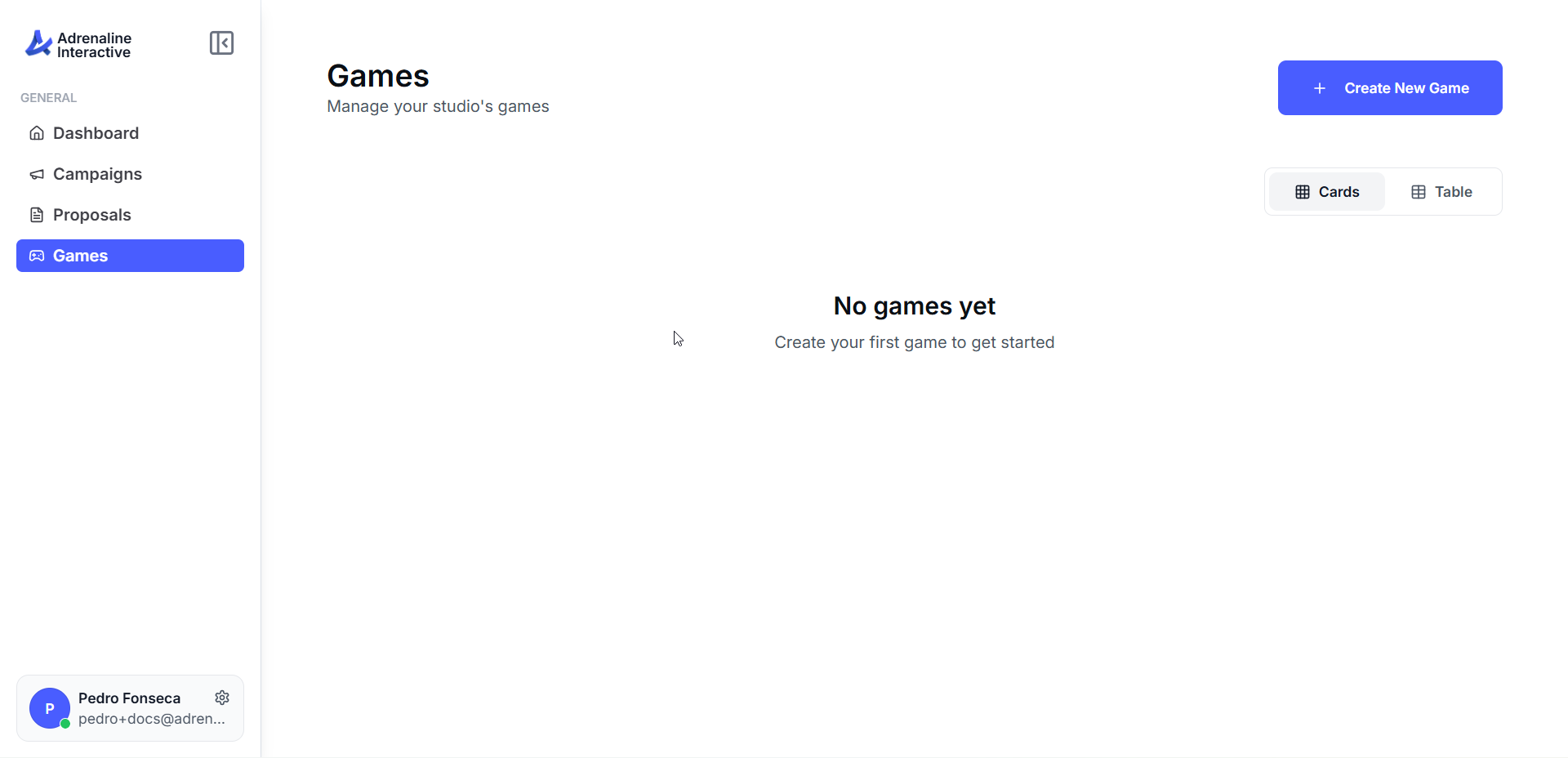
Navigate to Games
Click "Create New Game"
The Game Setup step begins by asking how you'd like to add your game. You can auto-fill your profile from an existing store page, or enter everything manually.
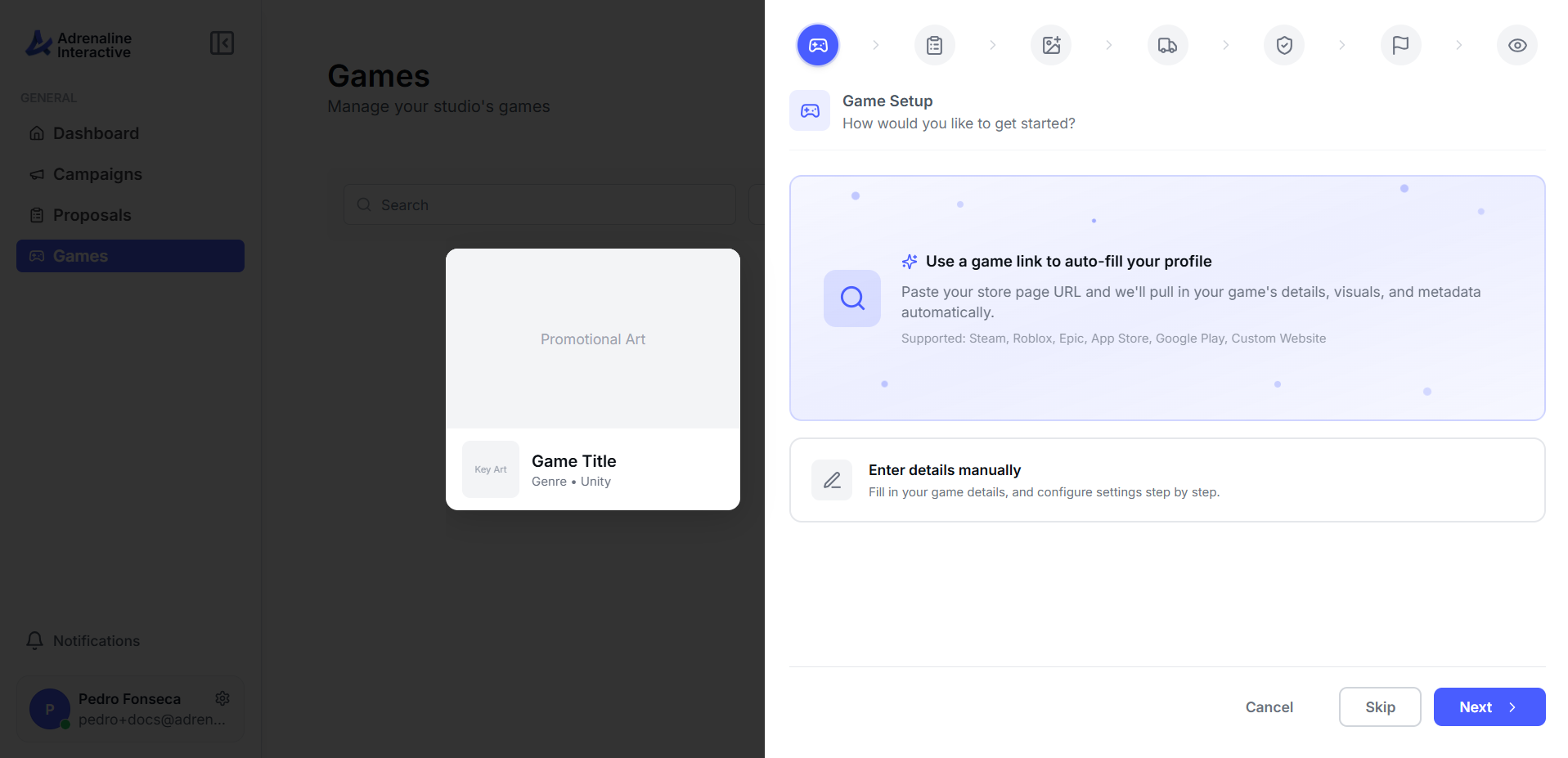
Use a game link to auto-fill your profile
Enter details manually
Next, confirm your game's identity — its name and the art advertisers use to recognize it across the platform. If you started from a game link, most of this is filled in for you.
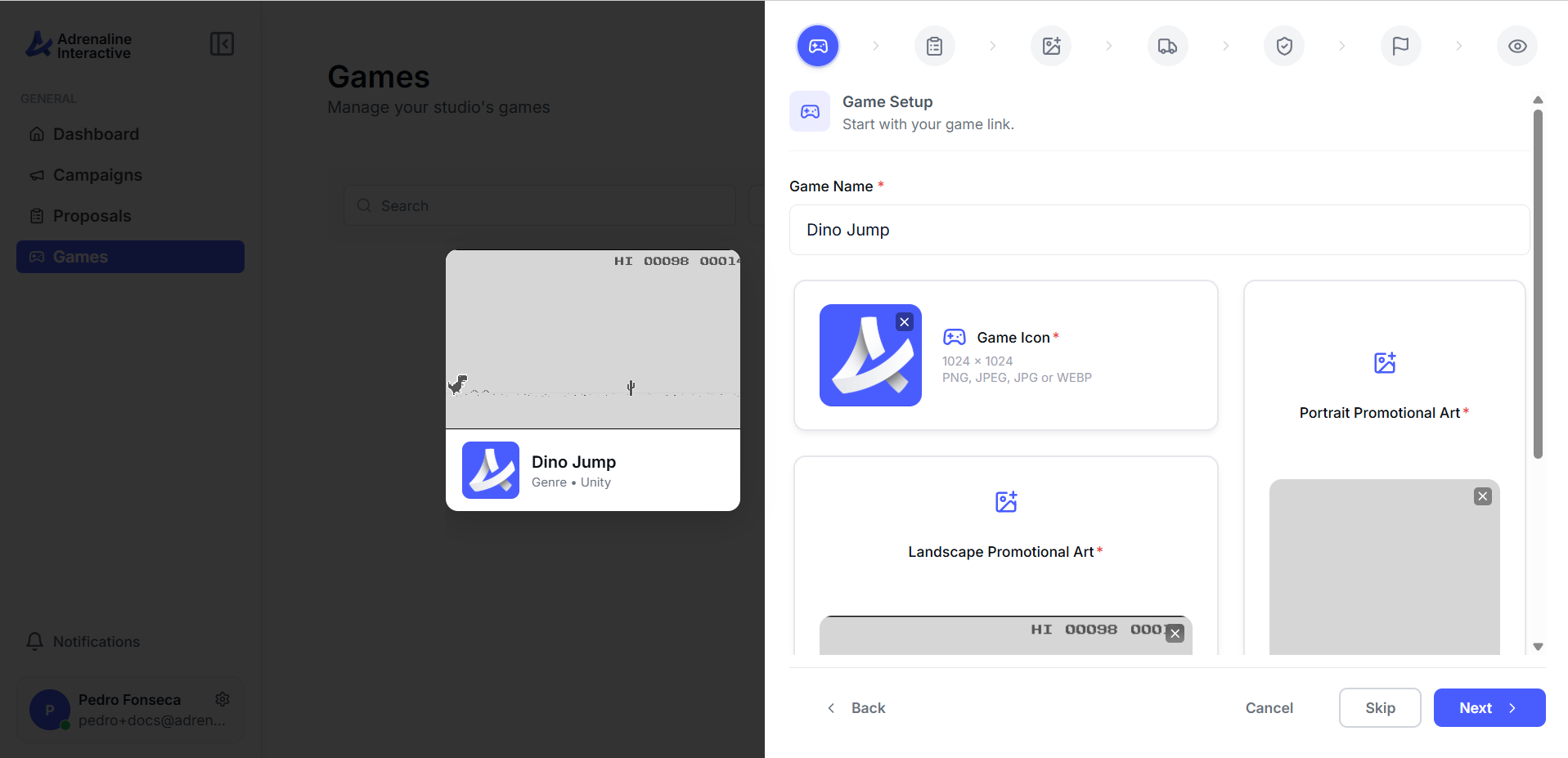
Game Name
Game Icon
Promotional Art
Tell the platform about your game — a short description and what engine and genre it falls under.
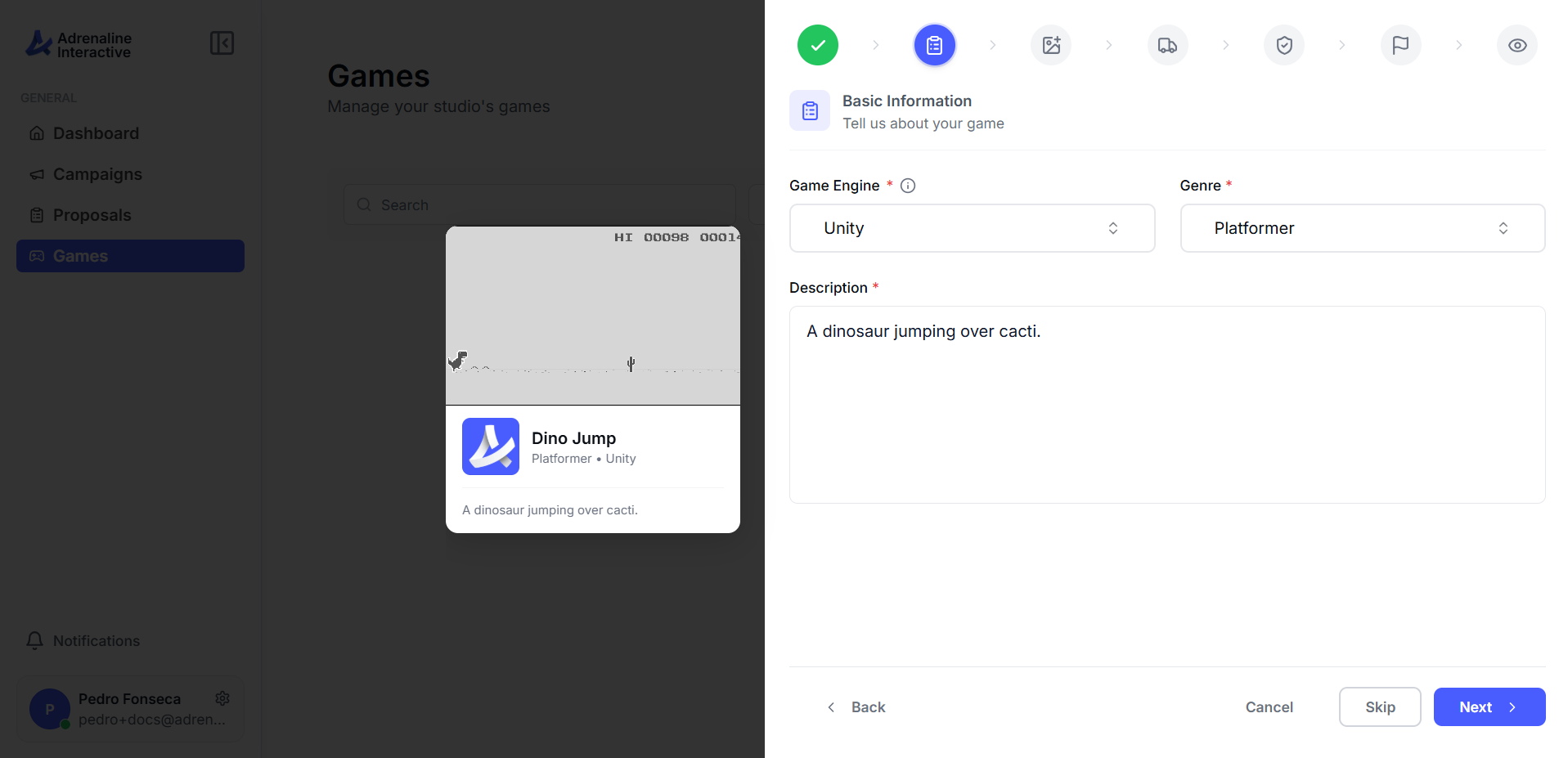
Game Engine
Genre
Description
Upload screenshots that show what your game actually looks like during gameplay. These help advertisers understand the visual context where their brand placements will appear.
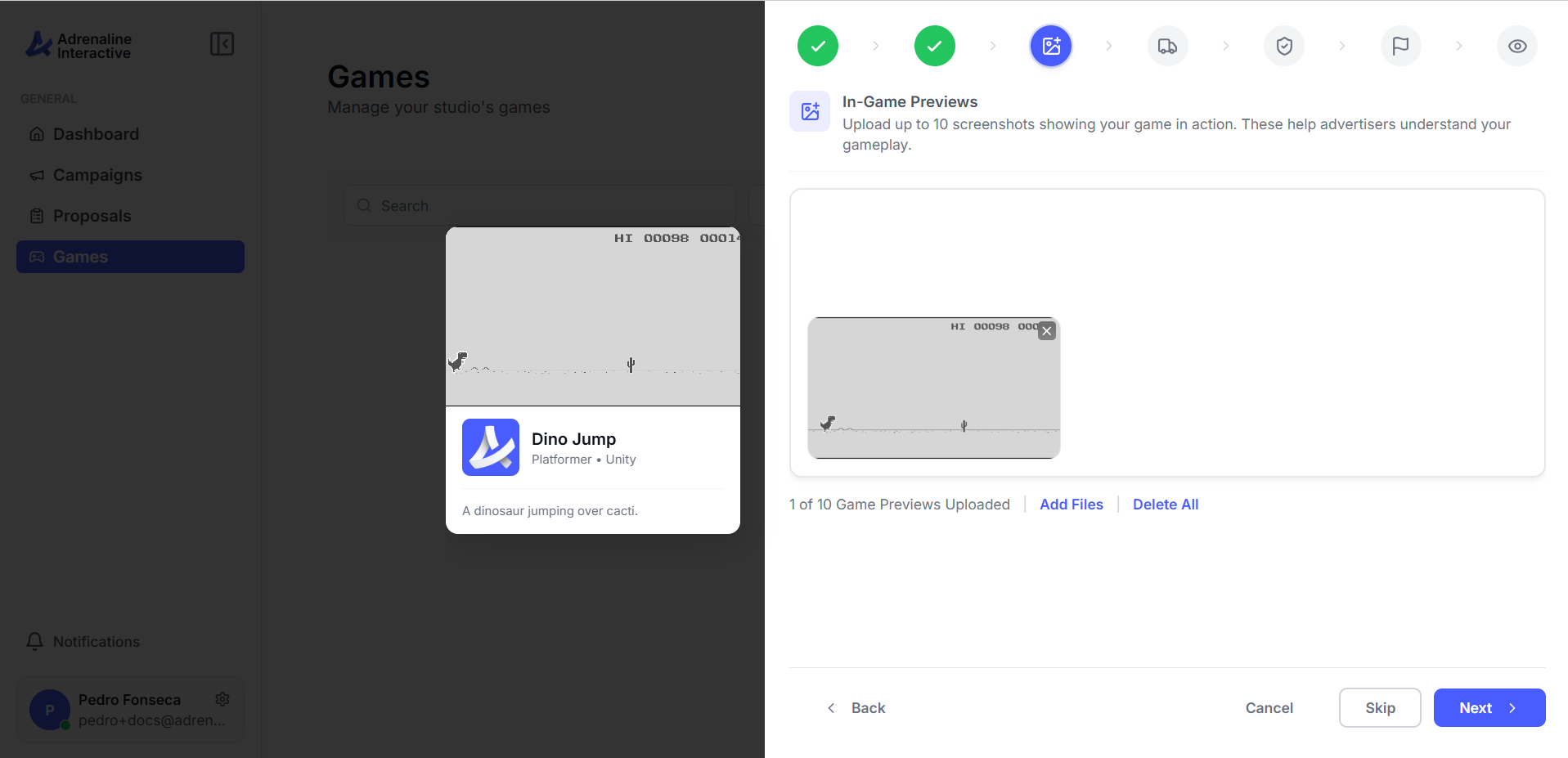
Upload at least 1 preview
Show placement-relevant areas
Tell the platform where your game is published. This helps advertisers filter by platform and understand your game's reach.
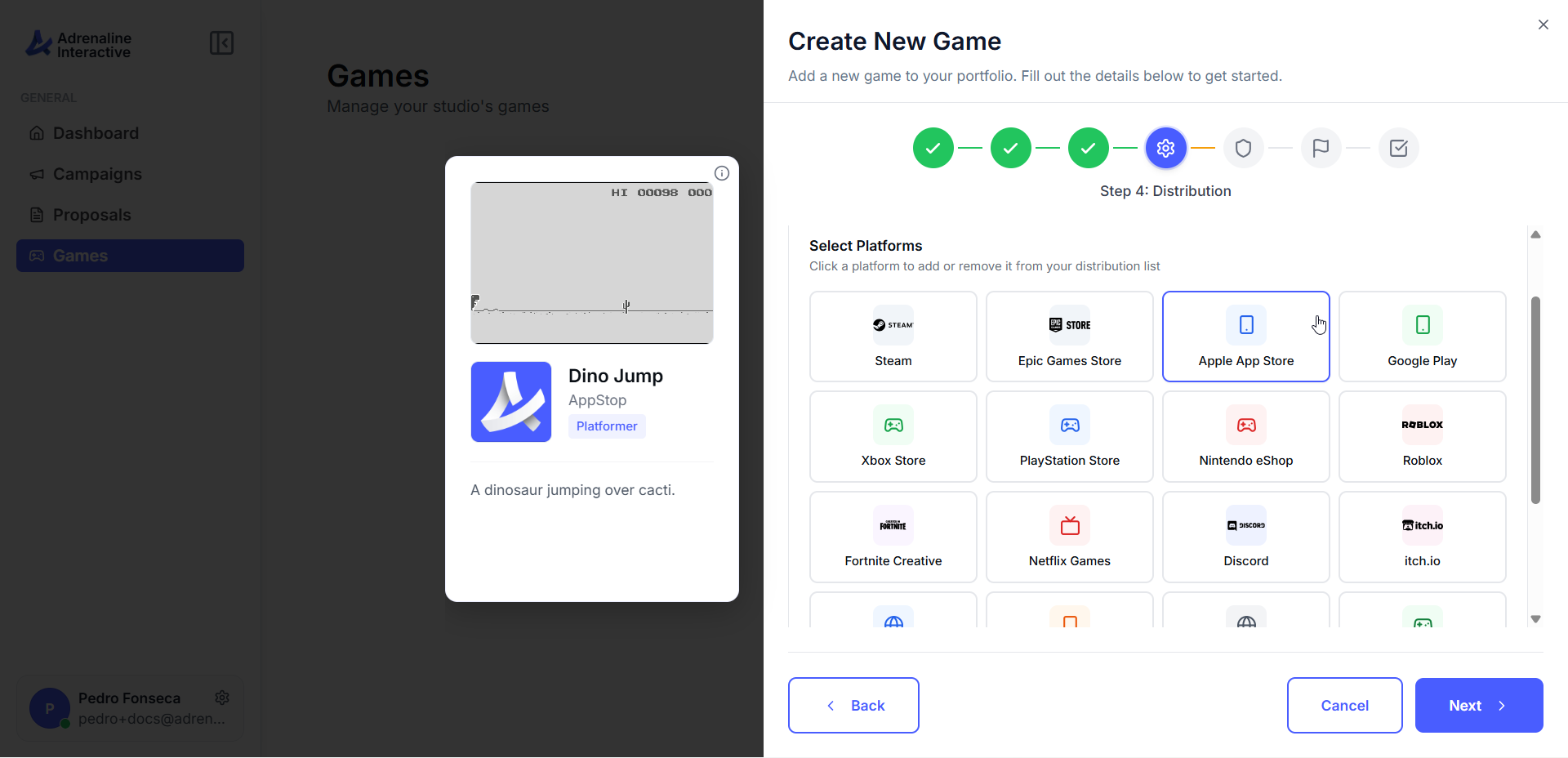
Choose your platforms
Platform-specific devices
Store URLs (optional)
Before your game can be matched with advertisers, you need to classify its content using industry-standard brand safety categories. This ensures advertisers can confidently place their brands in your game.
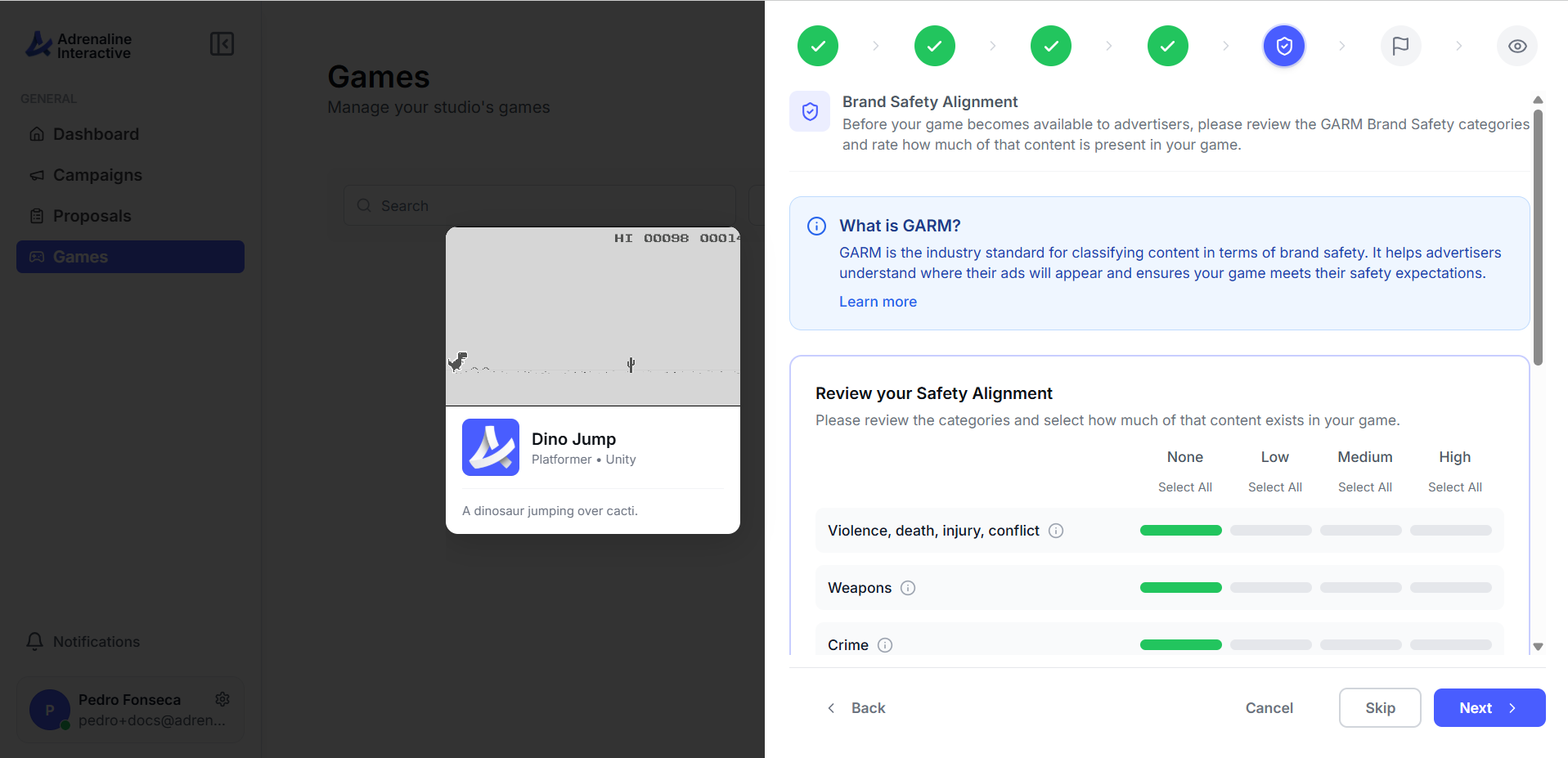
Rate each GARM category
Acknowledge your classification
Choose which types of sensitive advertiser content your game will accept. Ads from excluded categories will never appear in your game, and you won't receive campaign proposals featuring them.
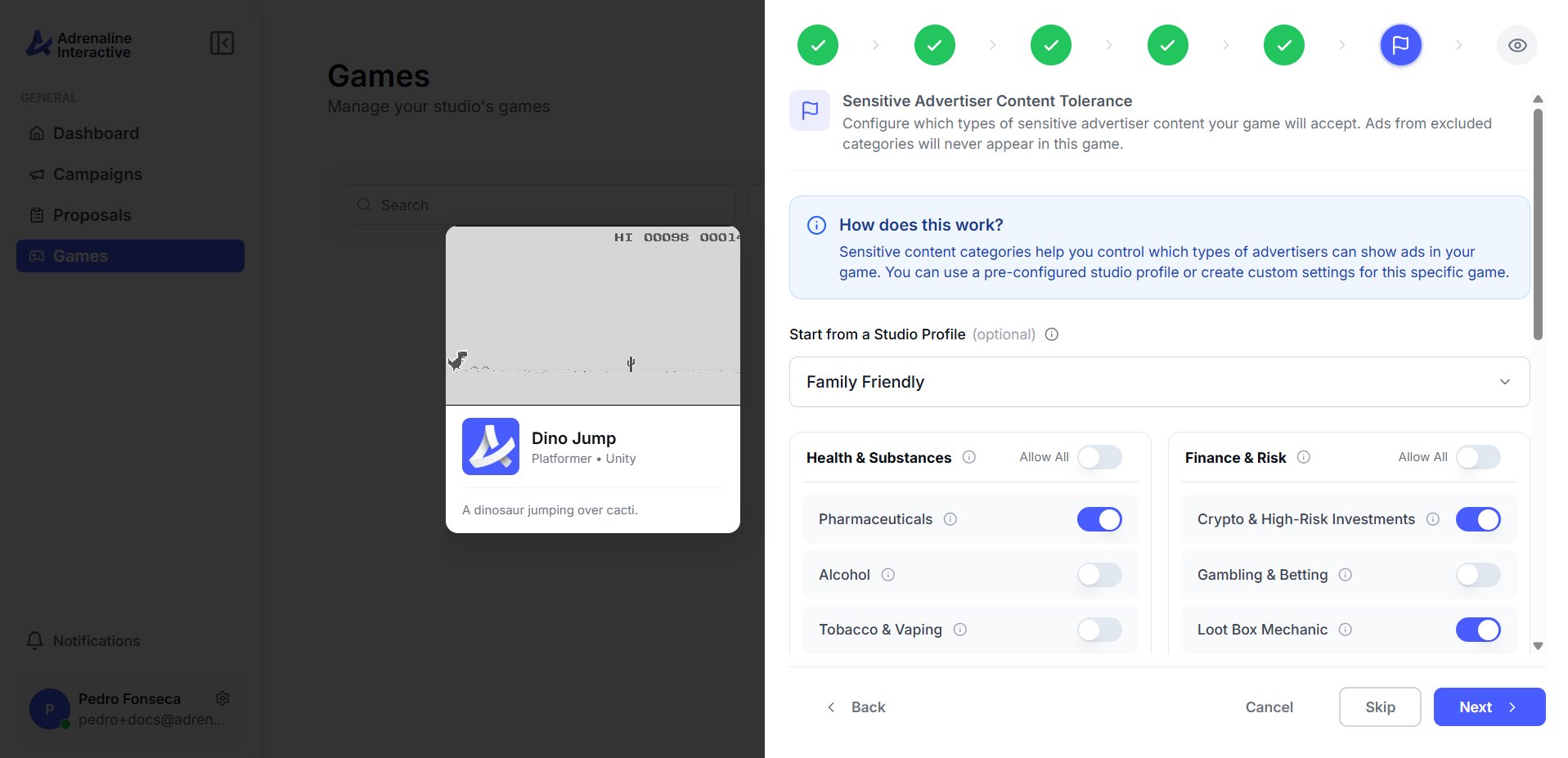
Start from a Studio Profile (optional)
Toggle categories on or off
Mind your ad inventory
The final step shows a summary of everything you've entered. Review your game details, art, previews, platforms, and brand safety ratings — then hit submit.
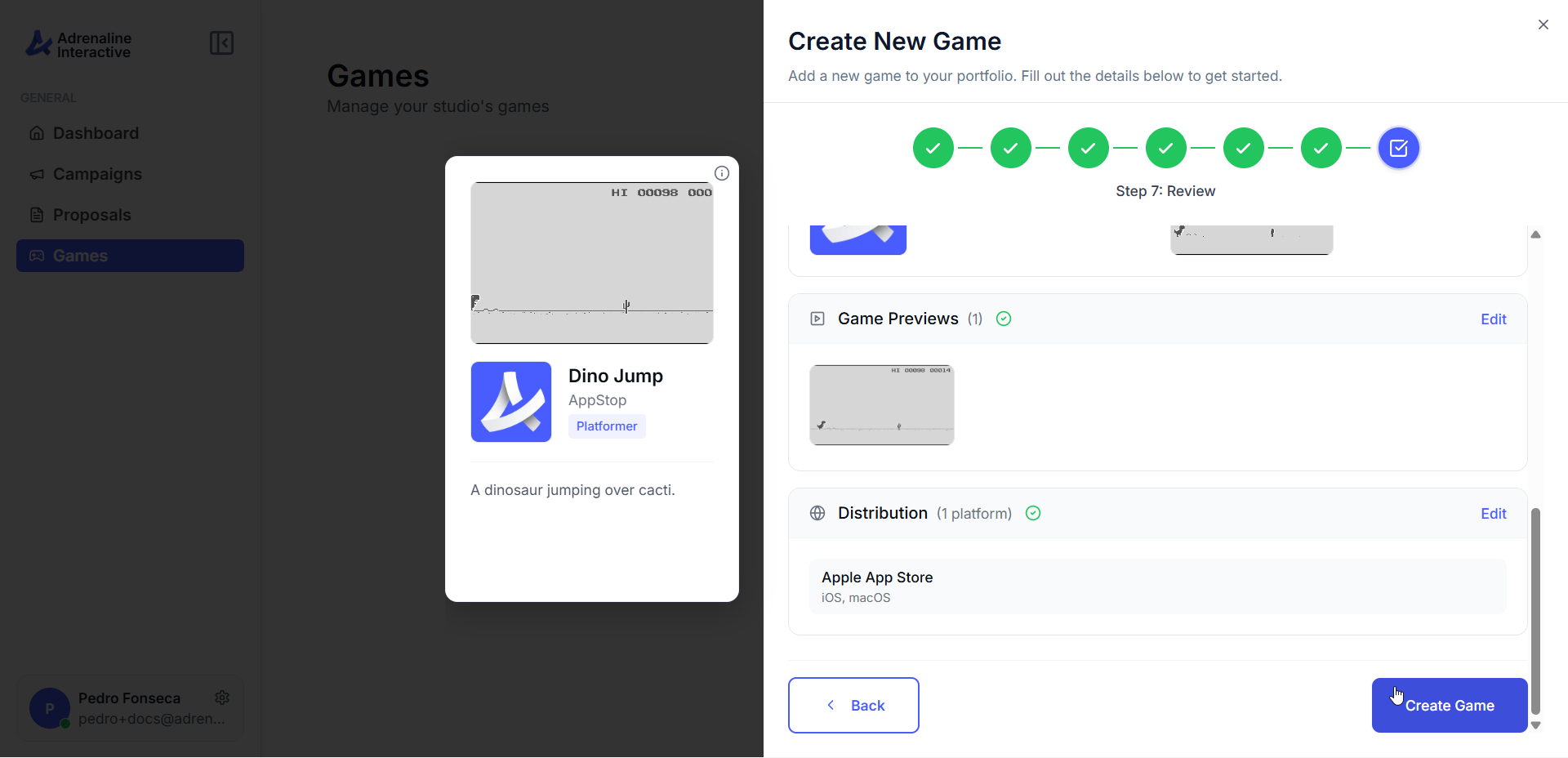
Check the summary
Submit your game