
How Endemic+ Works
Endemic+ connects game studios with advertisers through a managed workflow—from registering your game and placements, through collaborative creative review, to live campaign delivery and measurement inside your game.
Last update
May 7, 2026
The End-to-End Flow
Endemic+ manages the full lifecycle of an in-game brand placement—from setup to measurement. Here's how each stage works.
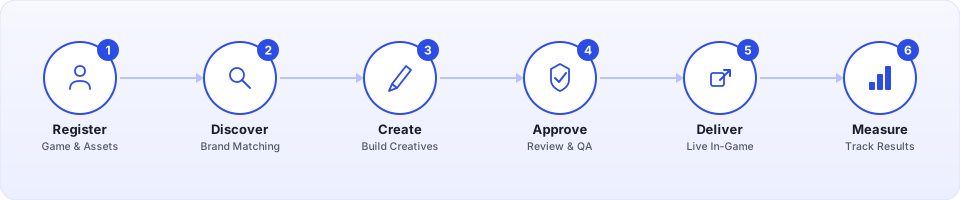
Register Your Game & Placements
Studios start by setting up their game on the Endemic+ platform.
After creating an account, you register your game and upload the in-game surfaces you want to make available for brand placements. These can be billboards, posters, banners, 3D objects, or any visual element that could host branded content.
- Add your game with basic metadata (title, platform, genre).
- Upload placements—screenshots or textures of the in-game surfaces available for brand content.
- Each placement is tagged with a type (2D image, animation, or 3D object) so the platform understands how to handle it.
Once registered, your placements are visible on the platform and ready for advertisers to discover.
Advertisers Discover Your Game
The platform helps brands find games that match their audience and campaign goals.
Advertisers use the Endemic+ platform to browse available games and find experiences that align with their brand. They can filter by genre, audience demographics, platform, and available placement types to find the right fit.
When an advertiser finds a match, they create a campaign and select which of your registered placements they'd like to use.
Collaborative Creative Review
Studios and advertisers work together to make sure placements look right before anything goes live.
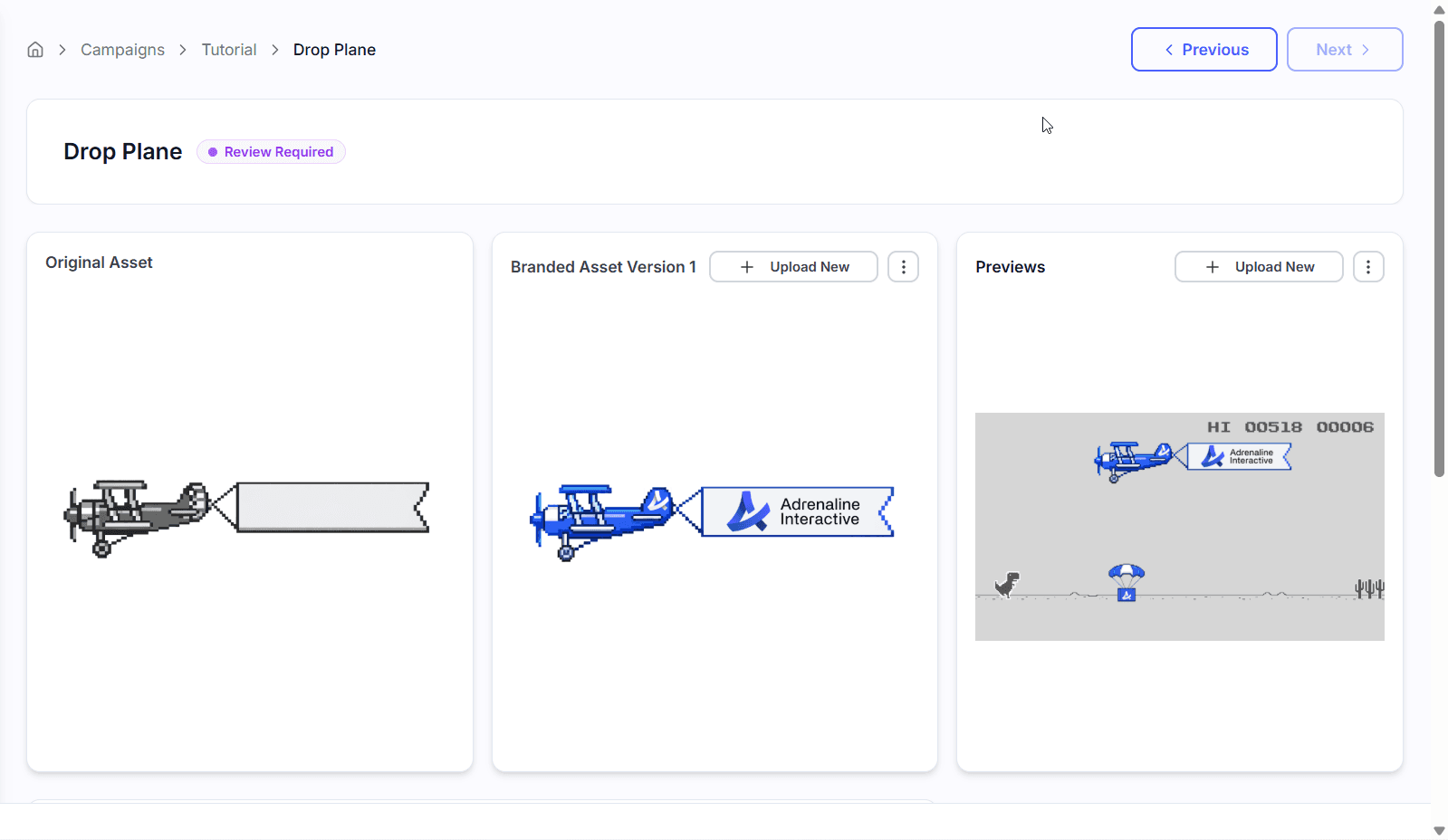
Once an advertiser submits their creatives for a campaign, the Endemic+ platform provides a shared workspace for review. Studios can see exactly how brand content will appear on their in-game surfaces and provide feedback directly on the platform.
- 1
Advertiser submits creatives
Brand creatives are uploaded and mapped to the selected in-game surfaces.
- 2
Studio reviews placements
You preview how the branded content will look in-game and leave comments or request changes.
- 3
Both sides approve
Once the creative meets both the brand's standards and your game's aesthetic, the placement is approved and ready to go live.
You stay in control
- Nothing goes live without your explicit approval.
- You can reject or request changes to any creative at any stage.
- The platform tracks the full review history for transparency.
Campaign Delivery In-Game
Approved creatives are delivered to your game at runtime through the Endemic+ SDK.
With the Endemic+ SDK integrated into your game, approved campaign creatives are delivered automatically at runtime. The SDK handles fetching the right creatives and applying them to the placements you've linked—no manual content updates or new builds required.
- The SDK pulls active campaign creatives when a session starts.
- Textures are swapped onto your registered surfaces seamlessly.
- If no active campaign is running, your original placement content remains in place.
- Campaigns can be updated or rotated without requiring a game update.
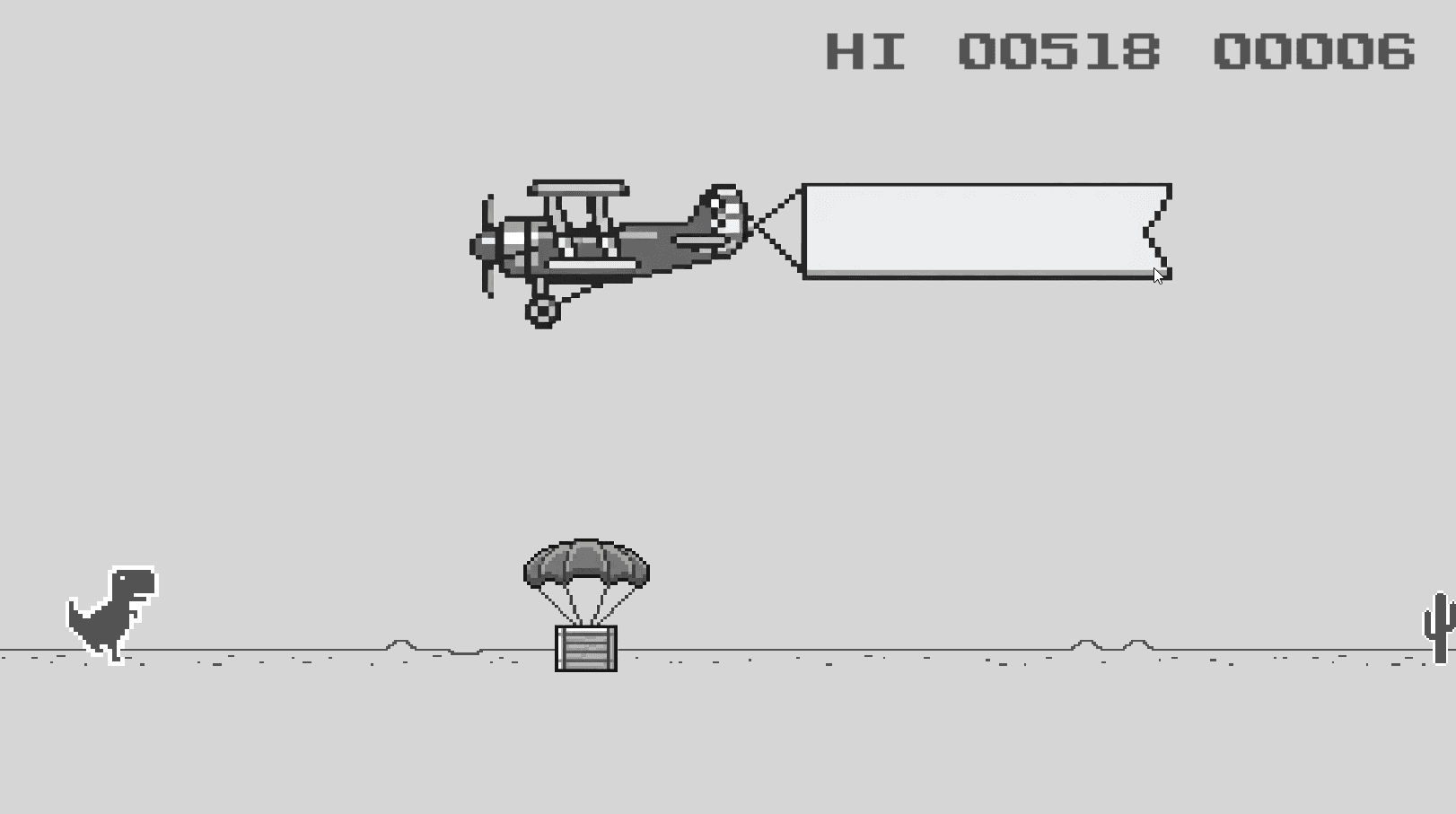 Before
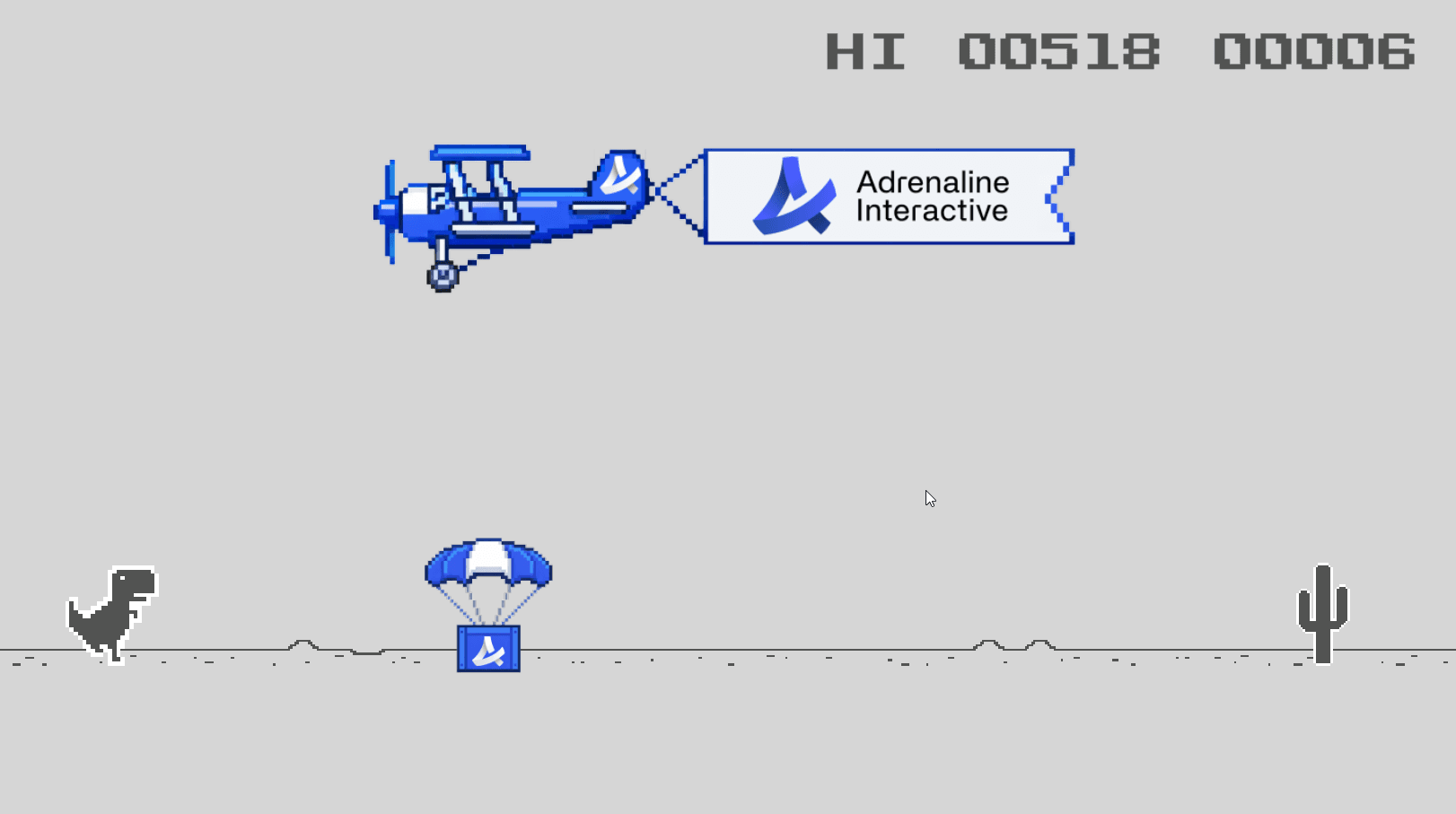 After
AfterMeasurement & Reporting
Endemic+ tracks how players interact with placements so campaign performance is transparent.
The SDK collects viewability and interaction data from game sessions automatically. This telemetry is processed and made available on the Endemic+ platform, giving both studios and advertisers clear insight into how placements are performing.
Viewability Tracking
Measures whether a placement was actually visible to the player—not just loaded, but on-screen and in view, aligned with IAB standards.
Performance Metrics
Impressions, unique viewers, session-level data, and engagement signals are all captured and reported on the platform dashboard.
Brand Safety
Games go through a content assessment before campaigns go live, giving advertisers confidence that their brand appears in appropriate contexts.
Putting It All Together
Step 1
Register your game and upload placements on the platform
Step 2
Integrate the Endemic+ SDK into your game engine
Step 3
Advertisers discover your game and propose campaigns
Step 4
Review and approve creatives collaboratively
Step 5
Approved creatives are delivered to players at runtime
Step 6
Viewability and performance data flows back to both sides
Ready to integrate?
The technical integration is lightweight — most studios are up and running in under a day. Check out the integration guide for your engine to get started.
View Integration Guides